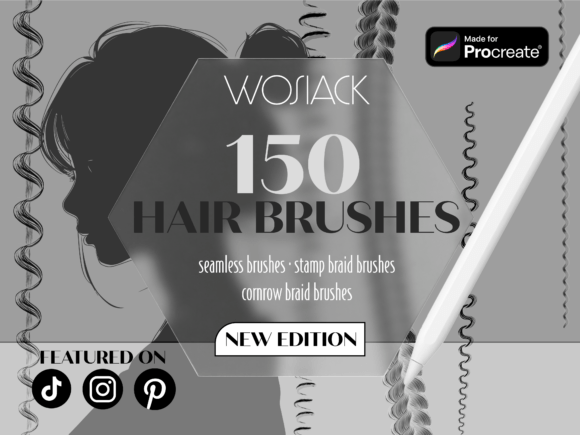
Master Hair Art in Procreate with 150 Specialized Brushes
If you’ve ever tried drawing realistic hair in digital art, you know how time-consuming and frustrating it can be. Those tiny strands, complex braids, and flowing curls rarely turn out the way you envision. Even with patience, the results can look flat or unnatural. That’s where the 150 Hair Brushes for Procreate comes in—a powerful toolkit designed to make hair creation faster, smoother, and more realistic.
What Exactly Is 150 Hair Brushes for Procreate?
This brush set is a curated collection of 150 custom tools built specifically for artists using the Procreate app. Each brush is crafted to help you draw different hair types, textures, and styles with minimal effort. From soft wisps and flowing waves to detailed cornrows and stamp-style braids, this collection covers a wide range of hair design needs.
Why Artists Love This Brush Set
The beauty of the 150 Hair Brushes for Procreate lies in its versatility. Whether you're sketching a quick character design or working on a detailed portrait, these brushes adapt to your style. Here are a few reasons artists choose this set:
- Time-saving strokes that blend naturally for realistic textures
- Braid and cornrow stamps for fast, detailed patterns
- Customizable settings so you can tweak pressure, opacity, and flow
- Compatibility with all Procreate versions and iPad models
Real-World Uses for These Hair Brushes
These brushes aren’t just for illustrators and concept artists. They’re also useful for:
- Character designers who need to create diverse hairstyles quickly
- Freelance illustrators working on editorial or fashion projects
- Comic book artists who want to maintain consistent hair details across panels
- Beginners learning how to draw hair without spending hours on small details
- Content creators making tutorials or digital art for social media
How to Get the Most from These Brushes
Like any digital tool, the 150 Hair Brushes for Procreate works best when you understand how to use it. Start by exploring the different brush categories:
- Flowing hair brushes for long, wavy, or curly styles
- Cornrow and braid brushes for detailed, repetitive patterns
- Texture brushes to add depth and realism to short or layered hair
- Stamp brushes for adding flyaways, curls, or finishing touches
Try layering different brushes to build dimension. For example, start with a base layer using a soft brush, then add texture with a strand brush, and finish with a few stamp brushes for flyaways or curls.
Perfect for Professional and Personal Projects
Whether you're working on a client project or just experimenting with personal art, this brush set helps you deliver polished results. It’s especially useful for:
- Portrait artists aiming for photorealistic hair details
- Game designers creating character assets with varied hairstyles
- Marketing creatives designing visuals for fashion or beauty brands
- Art educators teaching digital illustration techniques
What to Consider Before Using This Brush Set
While the 150 Hair Brushes for Procreate is beginner-friendly, there are a few things to keep in mind before diving in:
- Make sure your iPad and Procreate app are updated to the latest version
- Take time to explore each brush and adjust settings to match your style
- Use layers to separate hair from the face and body for easier editing
- Combine with other tools like smudge brushes or texture overlays for more depth
How This Set Can Improve Your Art Workflow
Instead of drawing each strand by hand, you can use the 150 Hair Brushes for Procreate to create realistic hair in minutes. This not only speeds up your workflow but also helps maintain consistency across your artwork. Whether you're drawing a single character or a full scene with multiple people, these brushes help you stay efficient without sacrificing quality.
Final Thoughts
If you’ve ever felt stuck trying to draw realistic hair in Procreate, this brush set is worth trying. The 150 Hair Brushes for Procreate gives you the tools to create detailed, lifelike hair with less effort and more creative freedom. Whether you're a beginner or a seasoned pro, it’s a smart investment that can elevate your digital art game.