Grunge Brush Set for Procreate: Adding Texture and Character to Your Digital Art
If you're a digital artist or designer looking to bring more depth and personality to your work, the Grunge Brush Set for Procreate might be exactly what you need. This brush collection is designed to add raw textures, distressed edges, and a handcrafted feel to your Procreate illustrations, making your work stand out without requiring hours of manual detailing.
What Is the Grunge Brush Set for Procreate?
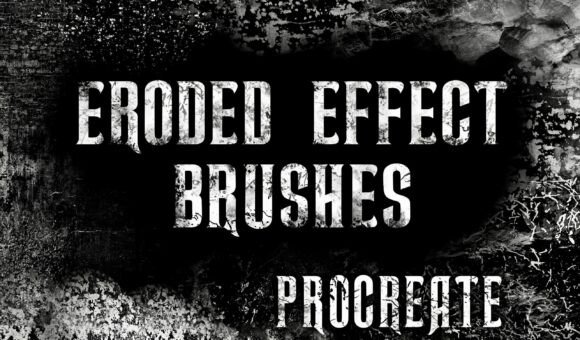
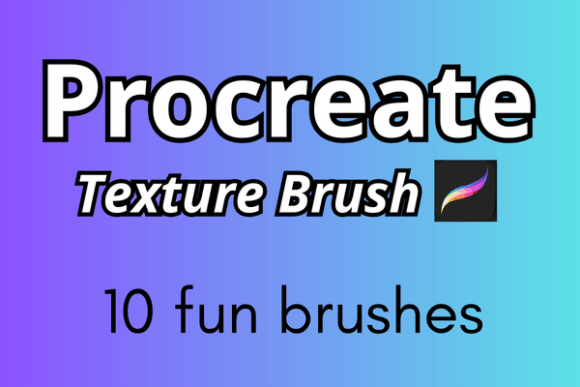
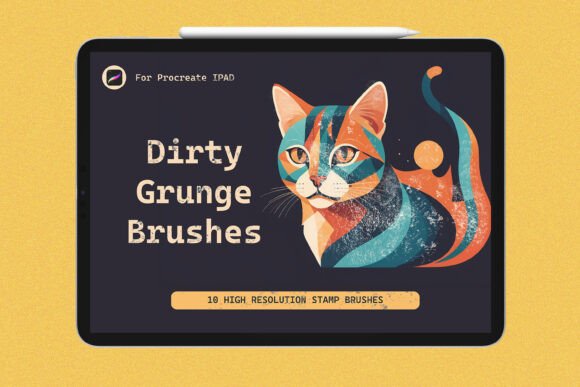
The Grunge Brush Set for Procreate is a curated pack of 10 high-quality brushes tailored for the Procreate app. These brushes are crafted to mimic the look and feel of real-world grunge textures—think weathered paper, cracked paint, rough ink strokes, and worn edges. They're perfect for artists who want to add a layer of authenticity and grit to their digital illustrations, whether they're working on personal art, client projects, or commercial designs.
Real-World Uses for the Grunge Brush Set
One of the biggest strengths of this brush set is its versatility. Here are a few realistic scenarios where it can make a meaningful difference:
- Poster Design: If you're creating a gig poster or event flyer that needs a gritty, alternative vibe, these brushes can help you achieve that without scanning or layering physical textures.
- Illustration Work: Children's books, editorial illustrations, or even character design can benefit from a touch of imperfection. The grunge brushes add warmth and visual interest that feels organic, not artificial.
- Logo and Branding Projects: Brands aiming for a vintage or handmade aesthetic often incorporate distressed textures. With this brush set, you can easily mock up logos or packaging elements that feel tactile and authentic.
- Digital Journaling and Scrapbooking: For hobbyists and educators who use Procreate for digital planners or memory keeping, the grunge brushes can simulate the look of torn paper, faded ink, and other nostalgic effects.
- Freelance Design: Time is money when you're working with tight deadlines. Instead of building texture layers from scratch, these brushes let you apply complex effects with a single stroke.
How Different Users Benefit from Grunge Brushes
Let’s look at a few user profiles and how they might apply the Grunge Brush Set for Procreate in their daily work:
- Illustrators: Imagine you're working on a book cover that needs an aged, mysterious feel. With a few strokes of the grunge brushes, you can simulate the look of old parchment or faded ink—no scanning required.
- Graphic Designers: You're designing a packaging concept for a small coffee roaster that wants a rustic, hand-drawn aesthetic. The grunge brushes help you texture labels and borders to match the brand’s earthy tone.
- Artists and Creators: You're painting digitally but miss the tactile quality of traditional media. These brushes give you the ability to mimic the irregularities of real-world materials like chalk, charcoal, and watercolor paper.
- Bloggers and Content Creators: You're designing a social media graphic and want to avoid the overly clean, digital look. A few subtle texture brushes can make your visuals feel more grounded and relatable.
- Educators: You're creating visual learning materials and want to keep students engaged with designs that feel approachable and human. The grunge brushes help you add character without overwhelming the content.
Things to Consider Before Using the Grunge Brush Set
While the Grunge Brush Set for Procreate is a powerful tool, it's not a one-size-fits-all solution. Here are a few things to think about before you download or apply these brushes:
- Style Compatibility: Not every project benefits from a grunge look. If your design needs to feel clean, modern, or minimalist, these brushes might not be the best fit.
- Layering Techniques: These brushes work best when layered subtly. Overusing them can make your artwork look cluttered or forced. Start with light pressure and build up texture gradually.
- Device Performance: High-detail brushes can sometimes slow down older iPad models. If you're using an older device, test the brushes on a small canvas before applying them to large-scale projects.
- Customization: While the brushes come pre-configured, you can tweak settings like opacity, grain, and scattering to match your specific needs. Don’t be afraid to experiment.
- Learning Curve: Even though the brushes are easy to install, using them effectively takes practice. Spend some time exploring how each brush behaves and how it interacts with different layers and blending modes.
Installation and Setup Made Simple
One of the standout features of the Grunge Brush Set for Procreate is how easy it is to set up. The download includes step-by-step instructions for importing the brushes directly into your Procreate app. No need for complicated file conversions or third-party tools. Just tap, import, and start creating. The included help files also provide tips on best practices and brush-specific settings to get the most out of each tool.
Final Thoughts: Is the Grunge Brush Set Worth It?
If you're someone who regularly creates digital art or design work that benefits from texture and depth, the answer is a solid yes. The Grunge Brush Set for Procreate offers a quick, efficient way to add professional-grade texture without sacrificing creative control. Whether you're a seasoned illustrator or a weekend hobbyist, these brushes can become a go-to part of your toolkit—especially when you want your work to feel more grounded, expressive, and uniquely yours.
Ultimately, tools like this are about saving time while enhancing your creative potential. The Grunge Brush Set for Procreate does exactly that, giving you more freedom to focus on the art itself rather than the technical hurdles of texture creation.