Gothing Grunge Stamp Photoshop Brushes: Creative Tools for Dark, Textured Art
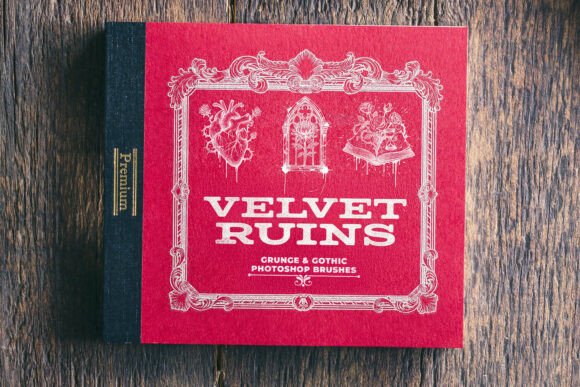
If you're a digital artist, designer, or creative professional who works with moody, vintage, or textured visuals, you've probably searched for tools that help you achieve a layered, atmospheric look without spending hours from scratch. That’s where the Gothing Grunge Stamp Photoshop Brushes come in. This brush set is a collection of 23 high-resolution stamp brushes designed with gothic and grunge aesthetics in mind. Each brush features intricate details like roses, skulls, clocks, and ornate relics — all created with AI to ensure clean lines and sharp structure.
What You Get and Why It Matters
These brushes are delivered as an ABR file, making them compatible with Adobe Photoshop right out of the box. Whether you're working on digital illustrations, print media, or mixed-media projects, these brushes are ready to use with just a click. They’re especially useful for creators who want to infuse their work with a sense of history, decay, or dramatic flair without needing to draw every element manually.
What makes this set stand out is its attention to detail and usability. Each brush is crafted to maintain clarity at any scale, which is essential for both screen and print applications. You can stamp a single element onto a background or layer multiple brushes together to build complex, textured compositions.
1. Album Covers and Music Branding
For musicians, graphic designers, or branding specialists working in the gothic, metal, or alternative music scenes, these brushes can be a game-changer. A simple background can be transformed into a rich, atmospheric canvas with the addition of a few well-placed stamps — like a skeletal rose or a weathered clock face. These elements help communicate the mood of the music visually, making the cover more compelling and genre-appropriate.
2. Tattoo-Inspired Illustrations
Many tattoo artists and illustrators use Photoshop to sketch or refine designs before inking. The Gothing Grunge Stamp Photoshop Brushes provide a library of traditional tattoo motifs — skulls, crosses, and ornamental flourishes — that can be dropped into a composition and customized. This saves time and helps maintain the classic, bold look that tattoo art is known for.
3. Vintage Poster Design
Whether you're designing event posters, book covers, or promotional prints, adding vintage textures and gothic motifs can give your design a timeless feel. These brushes are ideal for adding distressed borders, old-world emblems, or decorative corners that enhance the visual storytelling of your layout.
4. Digital Journaling and Scrapbooking
Creative journaling has grown in popularity, especially among digital artists and hobbyists. With these brushes, you can easily add thematic elements to your pages — like gothic roses for a moody self-portrait layout or broken chains for a page about personal growth. They’re also useful for scrapbooking digital memory albums with a unique, edgy twist.
5. Branding and Social Media Graphics
Brands that lean into a dark aesthetic — think niche fashion, alternative lifestyle, or horror-themed content — can benefit from using these brushes in their visual identity. They can be used subtly in logo elements, social media templates, or story overlays to maintain a consistent and distinctive style.
Who Benefits Most from These Brushes?
- Freelance designers looking to expand their toolkit with ready-to-use assets that fit niche aesthetics.
- Illustrators who want to blend digital and traditional styles with minimal effort.
- Entrepreneurs creating product packaging, merch, or promotional materials with a gothic or grunge edge.
- Bloggers and content creators who want to elevate their visuals without deep Photoshop expertise.
- Students and educators exploring digital art techniques and historical design motifs.
Each of these users has different goals, but they all benefit from the same core features: high-quality textures, easy integration into Photoshop, and flexibility across design styles and mediums.
How to Get the Most from Gothing Grunge Stamp Photoshop Brushes
Like any brush set, these tools work best when you understand how to apply them effectively. Here are a few tips to help you make the most of them:
- Experiment with layer blending modes — Try overlay, multiply, or soft light to blend the brush stamps naturally into your artwork.
- Customize with color overlays — Don’t be afraid to recolor the stamped elements to match your design palette.
- Combine with other textures — Layer these brushes with grunge textures, halftones, or scanned papers for a more dynamic look.
- Use them in moderation — A single well-placed stamp can have more impact than cluttering your design with too many elements.
What to Consider Before Buying or Using
Before you download or purchase any Photoshop brush set, including Gothing Grunge Stamp Photoshop Brushes, consider the following:
- Do you actually need these brushes? If your work rarely involves gothic or grunge themes, this set may not be the best fit.
- Are you using Photoshop? Since these brushes are ABR files, they work best in Adobe Photoshop. Other programs may not support them fully.
- What resolution do you need? While these brushes are high-res, always check if they scale well to your intended output — especially for print projects.
- Are there usage rights included? Make sure the brush set allows for both personal and commercial use if you plan to apply it in client work or sell the final design.
Final Thoughts
The Gothing Grunge Stamp Photoshop Brushes are more than just a set of digital tools — they’re a shortcut to creating rich, expressive artwork that resonates with dark, vintage, or textured aesthetics. Whether you're designing a band poster, creating a personal art piece, or crafting a themed social media post, these brushes offer practical value and creative flexibility.
If you're someone who regularly works with gothic, grunge, or vintage styles, this brush set is worth exploring. It can save time, inspire new creative directions, and help you achieve professional results without reinventing the wheel every time you open Photoshop.